

Sooner or later your Product Backlog gets big enough that you want to slice it: show me just the mobile work, just the bugs, just the items for the payments area. Azure Boards gives you three tools for this, and teams constantly reach for the wrong one. Here's when to use a tag, a field, and an area path.
Tags: lightweight and ad hoc
Reach for a tag when you want to find, filter, and identify items without committing to any structure. Tags are optional on every work item type, and you can add as many as you like. A common move is for a team that has dropped the Bug work item type to tag those PBIs with "Bug," so the Product Backlog holds one consistent type but you can still filter the bugs out when you want them. Tags are perfect for cross-cutting, evolving labels: "Bug," "Tech Debt," "Spike," "Blocked." They cost nothing to create and nothing to retire.
Area paths: stable structure
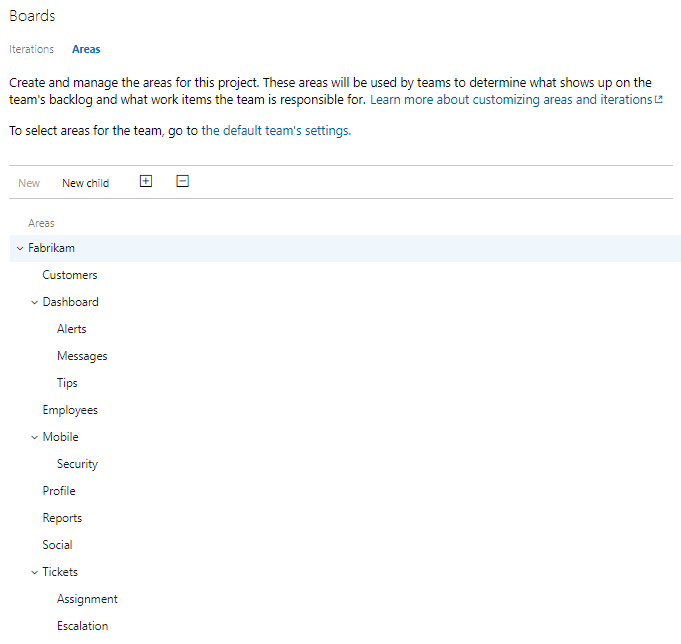
Area paths are heavier and more permanent. They must be set up ahead of time and can represent functional, logical, or physical areas or features of the product. If a PBI applies to everything, or you're not sure, leave it at the default root value. Use an area path when the division is real and durable, the kind of structure you'd organize teams or features around. In scaled implementations, each team within a project can have its own corresponding area path plus a default. That's the area path doing its proper job: stable, structural ownership, not a casual label.
One caution. Don't abuse the Area field as a stand-in for team ownership when what you really want is a Team field. Treating area paths as a team gimmick is a common shortcut that muddies what the field is actually for.
Fields: when you need to measure or compute
Reach for a field when you need a value you can sort, sum, chart, or compute against, not just filter by. Value and Size are the obvious ones, because together they give you ROI across the whole backlog on a common scale. The discipline here is restraint: the PBI form has many fields, and tracking data in fields you don't use is most likely waste. Before you press a field into service for organizing the backlog, ask whether a tag would do the job with less ceremony. Usually it would.
A practical rule of thumb
- Need a casual, evolving label to filter on? Use a tag.
- Need stable, structural ownership or a real product division? Use an area path.
- Need a value you'll sort, sum, or compute? Use a field, sparingly.
Slice the backlog with the lightest tool that does the job, and your Scrum Team stays focused on value, not bookkeeping.